
Your logo
Add your logo once and show it in the secure client portal, generated documents, and firm emails.
$99/firm/month Founding Partner pricing ends October 1, 2026.
Offer ends October 1.Start the free trialAdjusterDesk™ · The claims operating system
Purpose-built for public adjuster firmsFind the loss. Sign the client. Run the claim.
AdjusterDesk is the claims operating system for public adjusting firms. Intake, retainers, field photos, deadlines, and carrier follow-up on one claim record — $99/month for your whole firm, not per seat.
Up to 60 days free · No credit card required
Today
Your firm at a glance
Firm command4
Leads to review
3
Claims need action
1
Deadline this week
$84k
Fees in pipeline
Call new fire lead
Owner and property identified
Follow up on unsigned retainer
Sent two days ago
Request missing damage photos
Claim Memory flagged the gap
Opportunity intelligence
Storms, fires, referrals, calls, and public intake
Conversion workflow
Property research, retainers, DocuSign, and follow-up
Claim operations
Field uploads, tasks, deadlines, estimates, and client updates
Firm intelligence
Claim Memory, AI Copilot, revenue, recovery, and audit history
Built from the workflow
Shaped around a working public-adjuster office
Firm isolated
Every workspace is separated by firm
Your DocuSign
Connect your firm’s own sender account
Field ready
Capture photos, notes, and tasks by phone
Human reviewed AI
AI organizes; your team stays in control
Your firm, clearly represented
Upload your logo and set your firm contact details once. AdjusterDesk carries them into the client-facing places your team already uses, while keeping the operating workspace simple for staff.
Start your branded workspaceAdd your logo once and show it in the secure client portal, generated documents, and firm emails.
Use your firm name, phone, email, address, license details, and DocuSign connection.
Give policyholders a clear, firm-branded claim-status portal without exposing staff-only information.
Explore it yourself
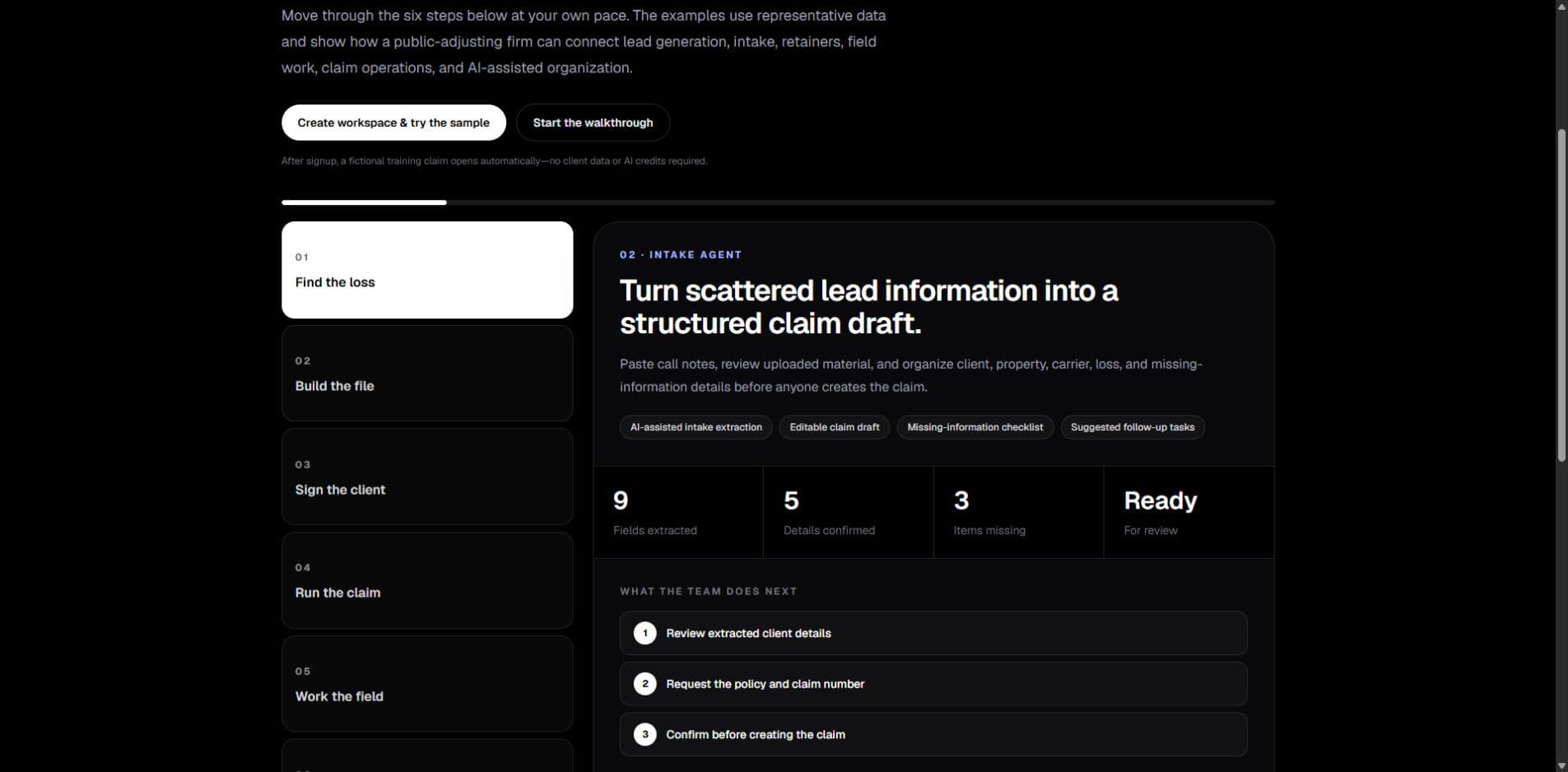
Your private workspace opens with an interactive fictional claim. Explore intake, tasks, uploads, timeline, and AI guidance at your own pace—no meeting or live client data required.
Inside the workflow
See the same lead, retainer, field evidence, tasks, and next actions in one working file—not scattered across inboxes, folders, and separate trackers.
Start with the next action
Surface the work that needs a decision, a follow-up, or more information.
Keep the evidence beside the work
Photos, documents, notes, and tasks stay attached to the claim they support.
Give every handoff context
The field and office work from the same claim history and current status.
Representative guided sample. Fictional claim data only.
A shared view of what needs attention
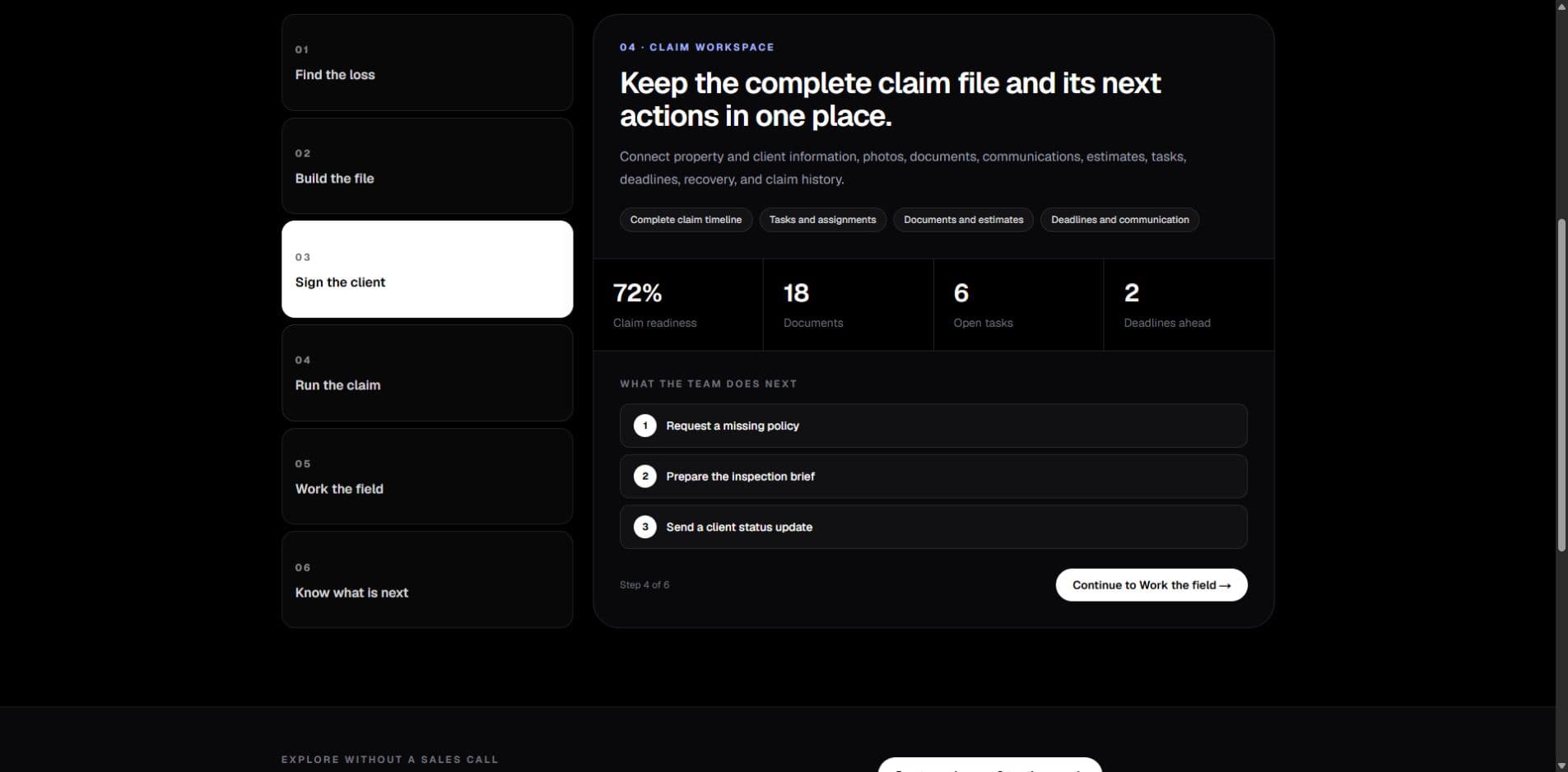
One connected claim record
Field evidence where the office can use it
Retainer work stays in the flow
One claim. One operating picture.
A lead, retainer, field update, carrier follow-up, document request, and deadline should add context to the same record—not create another place to look.
Capture the client, property, loss details, source, and the next responsible person.
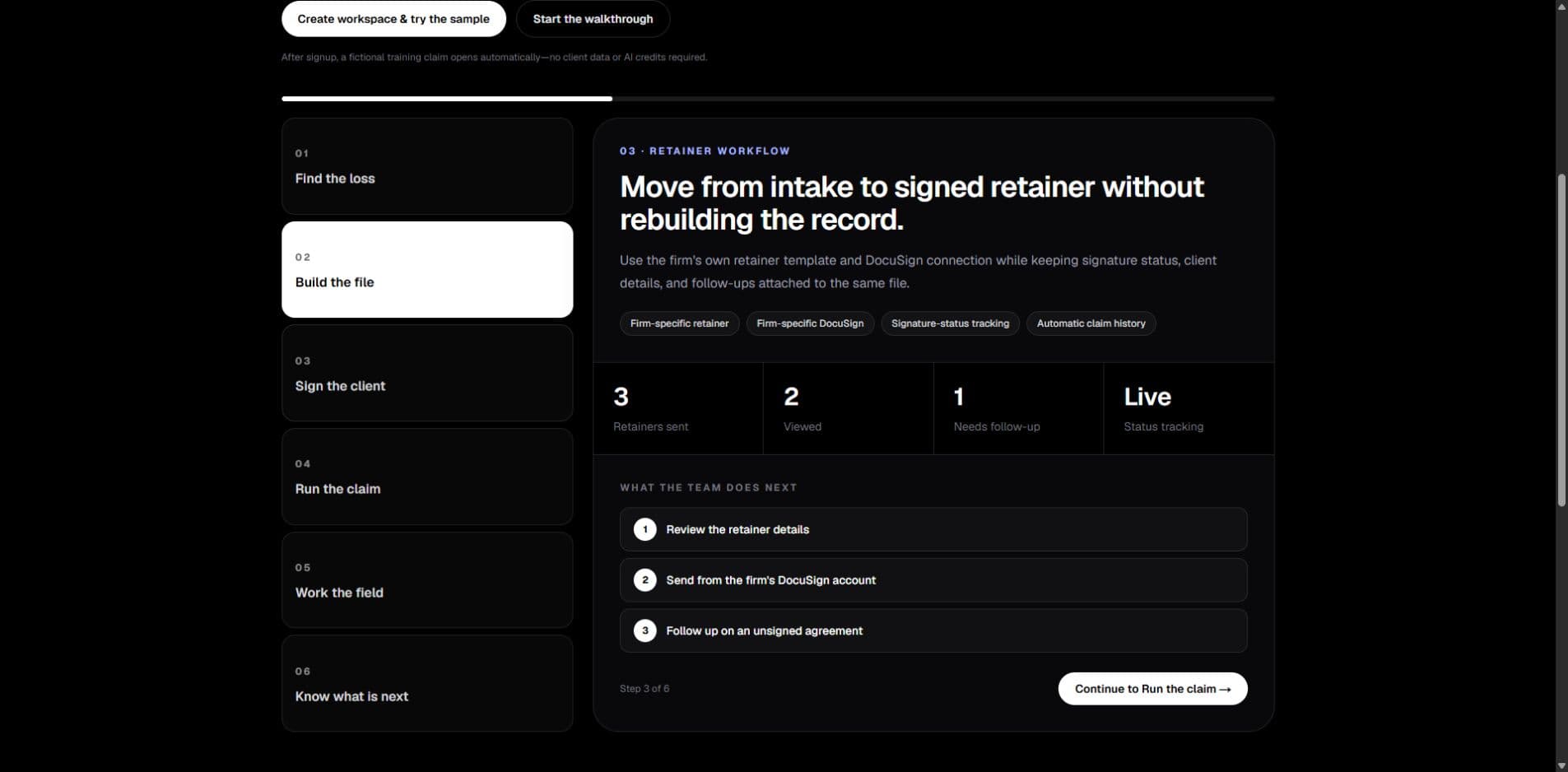
Send from your firm’s DocuSign account and keep signature status beside the file.
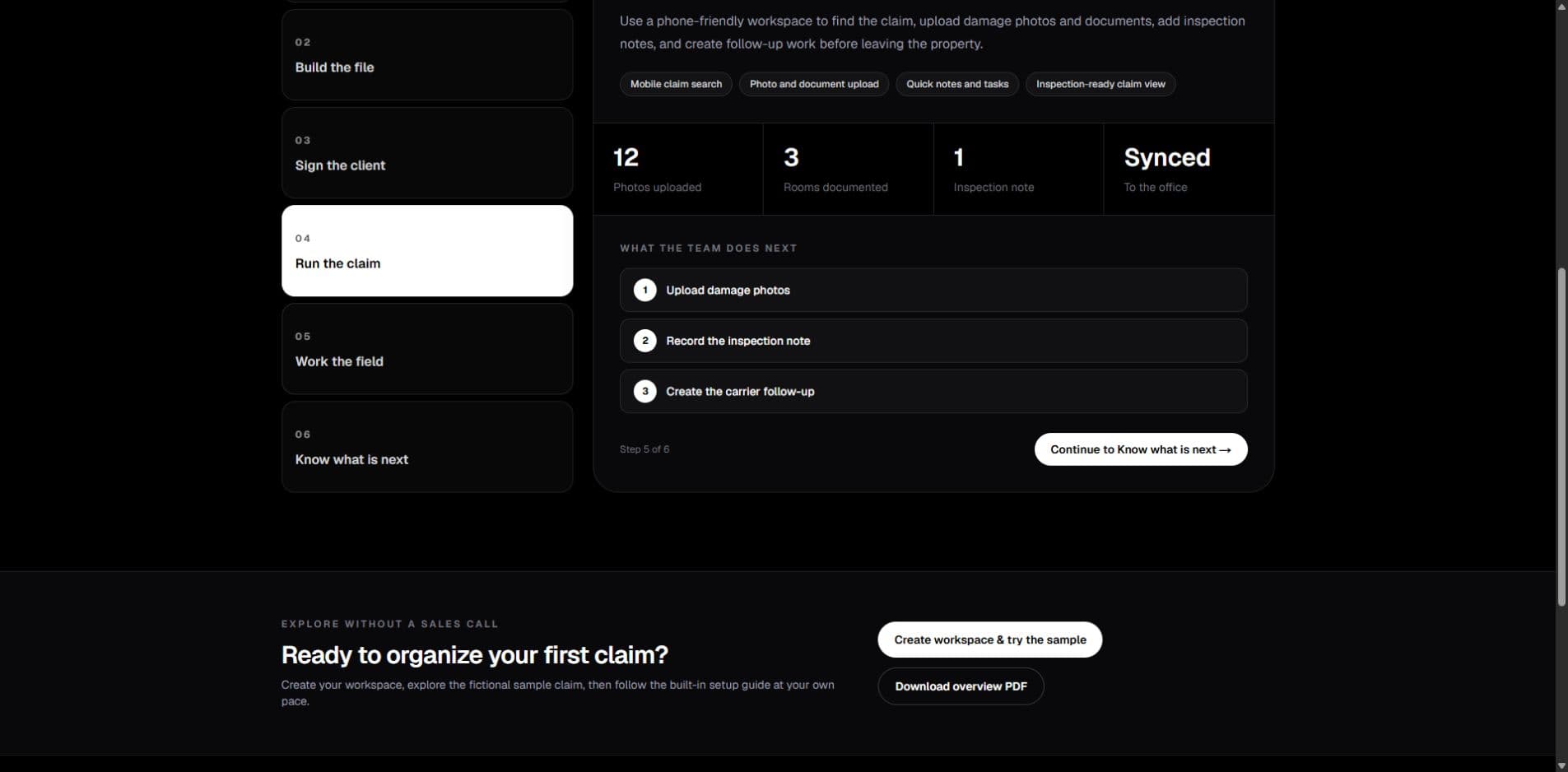
Put photos, documents, notes, and tasks directly on the related claim from a phone.
Keep carrier, client, document, and deadline work visible with an owner and due date.
Use Claim Memory and the Action Queue to surface what is missing or needs review.
A clear fit
For public-adjuster firms
Manage the path from lead and retainer through field documentation, claim coordination, follow-up, and recovery.
Not a policy or underwriting system
AdjusterDesk does not quote, bind, underwrite, administer policies, or make coverage decisions.
Inside AdjusterDesk
The important work is surfaced first. Deeper tools stay available when the file needs them.
Opportunity intelligence
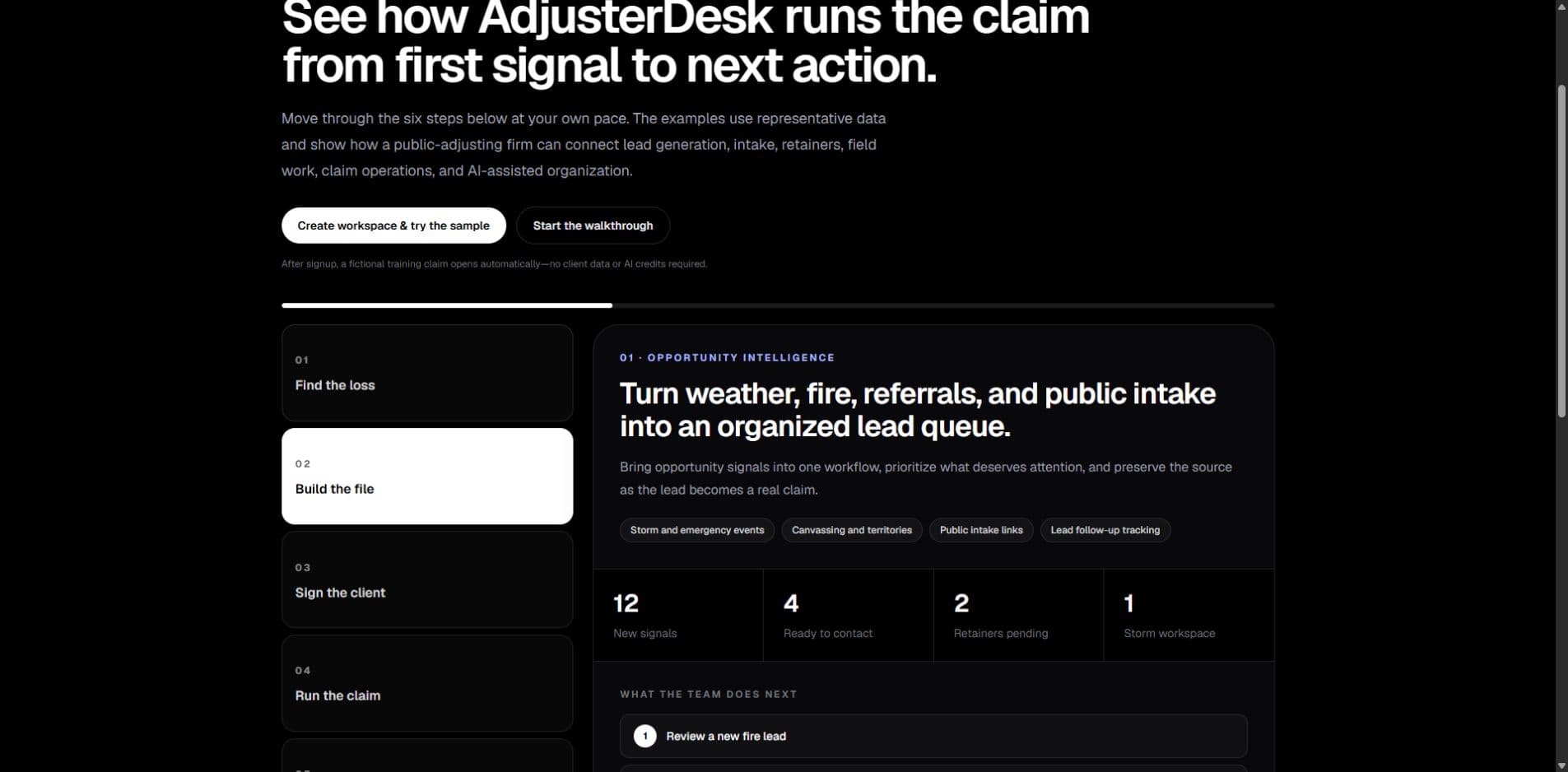
Bring storm and fire signals, referrals, public intake, and canvassing into a prioritized lead workflow.
12
New signals
4
Ready to contact
2
Retainers pending
Review a new fire lead
Confirm owner information
Create the intake follow-up
Representative sample data. No customer information is shown.
AI voice, clearly defined
Use each voice workflow for the job it was designed to handle—without confusing an outbound claim update with your firm's front desk.
Place outbound calls to carriers and desk adjusters for claim status. AdjusterDesk records the result in the claim workflow so your team can review the update and act on it.
Carrier and desk-adjuster business contacts only. Each firm is responsible for its own consent, disclosure, recording, and other calling requirements.
Give your firm an inbound receptionist that can answer calls, capture caller and loss details, and send qualified opportunities into your lead and intake workflow—even after hours.
AI, in plain language
These tools organize the work. Your firm remains responsible for review and decisions.
A source-backed snapshot of the current file, missing information, open questions, deadlines, and suggested next actions.
A claim-aware assistant that helps organize information and draft work for human review; it does not make claim decisions.
A prioritized firm work list that brings overdue, missing, and next-step items forward from across active files.
Built around the firm
Each role can focus on its own queue while owners retain visibility across operations, pipeline, claims, and performance.
Why firms switch
| Capability | Spreadsheets & folders | Generic CRM | AdjusterDesk |
|---|---|---|---|
| Built around public-adjuster workflows | Scattered tools | Generic pipeline | Purpose-built |
| Live loss and event intelligence | No | No | Included |
| Lead-to-claim continuity | Manual re-entry | Partial | One connected record |
| Firm-specific DocuSign retainers | Separate login | Separate integration | In the workflow |
| AI grounded in the claim file | No | Generic | Claim-aware with review |
| Mobile field workflow | Multiple apps | Limited | Built in |
Trust by design
AdjusterDesk separates firm data, keeps provider keys server-side, records important actions, and treats AI as an assistant—not an authority.
Authorization and database policies scope workspace records to the signed-in firm.
AI organizes and drafts; qualified users review output before use.
Each firm uses its own DocuSign connection and retainer template.
Audit history, monitoring, and status systems support a reliable product.
Technology providers
Selected providers support AdjusterDesk's AI, cloud, data, delivery, billing, and connected-workflow capabilities.
Provider use depends on the feature and firm configuration; not every provider receives every file. Provider names and marks belong to their respective owners. No sponsorship or endorsement is implied.
Founding access
Not per user. One flat price covers every person at your firm — owners, adjusters, and office staff — with no per-seat charges as your team grows. Explore the workspace before paying, and founding firms can request founder-led help setting up their first workflow.
Founding price deadline
Start before October 1, 2026 to lock in $99/firm/month for the life of the account.
Offer ends October 1.Founding Partner
$99/month
Flat per firm · no per-seat charges · cancel anytime
No credit card required
Firms that start before October 1, 2026 can lock in the $99/month Founding Partner rate for the life of the account. After you create your workspace, reply to the welcome email if you want help setting up your first workflow. The AI receptionist is a separate optional add-on. DocuSign, texting, property data, and other third-party or metered usage may carry separate costs where applicable.
Founder note
I built AdjusterDesk for a family member after spending time around a public adjusting office, helping with inventories, and seeing the daily frustration of paper trails spread across texts, folders, email, spreadsheets, photos, and memory.
The goal is simple: give firms one cleaner way to find opportunities, sign clients, run claims, and know what needs attention next.
Common questions
No. New firms can get up to 60 days free with no credit card required. Eligible promotional signups receive 60 days automatically; a standard 14-day trial unlocks 60 total days when the firm creates its first real claim.
Owner-led, small, and growing public-adjuster firms that want one practical operating workspace for intake, retainers, field evidence, claim work, and follow-up.
AdjusterDesk is not an agency-management, carrier-underwriting, policy-administration, quoting, or binding system. It is built for the public-adjuster firm workflow after an opportunity is identified: intake, retainers, field evidence, claim operations, follow-up, and recovery work.
Yes. A separate DocuSign account is required before your firm can send retainers. A firm owner or admin connects that account in Settings, then uploads the firm’s default retainer template. AdjusterDesk sends from your firm’s connected DocuSign account—not a shared platform sender.
Yes. AdjusterDesk works in your phone browser—there is no separate App Store download. Open the workspace on your phone and use Add to Home Screen for fast field access. Field mode is designed for finding a claim, uploading photos and documents, adding notes and tasks, and keeping the office updated.
AI helps organize claim information, identify workflow gaps, summarize files, and draft follow-ups. Users review outputs before use; it does not decide coverage, cause, value, or compliance.
AI status calling is included for outbound calls to carriers and desk adjusters to request claim updates and log the result. The AI receptionist is a separate optional service that answers inbound calls for your firm, captures caller details, and routes new leads into your workspace.
Yes. AdjusterDesk uses firm-level authorization and database row-level security so one firm cannot access another firm's workspace data.
See it with your workflow
We will map AdjusterDesk to how you find losses, sign clients, manage the file, and keep the team accountable.
sales@getadjusterdesk.com
support@getadjusterdesk.com